.jpeg)
The right CRM software is one of the most commercially significant choices a scaling business makes. This guide covers the key selection criteria and leading platforms.
Customer Relationship Management (CRM) software is pivotal in enhancing efficiency, productivity, and customer satisfaction. Selecting the right CRM software is one of the most strategically significant decisions a scaling business makes - get it right, and it becomes the operating infrastructure for your entire revenue engine.
This guide covers the key factors to consider when selecting a CRM, how to evaluate and compare platforms, and what implementation looks like in practice.
What is CRM Software?
CRM software is a centralised platform for storing and managing customer data, interactions, and communications. CRM systems offer the commercial intelligence and operational infrastructure to build stronger, more personalised customer relationships at scale - driving growth, retention, and profitability.
Why CRM Software Is Commercially Essential
CRM software gives businesses the tools to understand their customers, anticipate their needs, and provide experiences that drive loyalty and repeat revenue. A well-implemented CRM enhances customer engagement, aligns marketing and sales activity, enables data-driven decision-making, and scales with the business as data volumes and team complexity grow.
Industries Where CRM Delivers the Most Value
CRM software delivers measurable value across a wide range of business types. The following industries consistently see the strongest commercial impact:
Growth-Stage and Scaling Businesses
As businesses scale, the operational complexity of managing relationships, pipeline, and revenue operations increases rapidly. CRM software provides the infrastructure to manage that complexity without adding headcount - and platforms like HubSpot are architected to scale from a fast-growing team of 20 to a multi-hundred-person organisation without requiring a platform migration.
Sales-Driven Organisations
Businesses where sales pipeline management is central to revenue - including professional services firms, SaaS companies, and enterprise sales organisations - benefit significantly from CRM's lead management, pipeline visibility, and forecasting capabilities. CRM enables sales teams to operate more consistently and collaborate more effectively.
E-Commerce Businesses
E-commerce companies use CRM to understand customer behaviour, segment audiences for targeted marketing, and drive repeat purchase through personalised campaigns. CRM-driven customer intelligence directly improves retention rates and lifetime value.
Service-Based Industries
Service businesses - SaaS providers, law firms, consultancies, and professional services organisations - rely on client relationship quality as a core commercial driver. CRM systems manage client databases, track relationship history, and support the consistent, high-quality communication that retains clients and generates referrals.
Key Factors for CRM Software Selection
Selecting the right CRM requires careful evaluation across several dimensions. The following criteria are the most commercially significant:
1. Defining Your Objectives
Start by defining what you want the CRM to achieve. Are you looking to improve pipeline visibility, accelerate sales cycles, align marketing and sales activity, or improve customer retention? A precise understanding of your commercial objectives is the foundation of a sound CRM selection process.
Consider both immediate requirements and where your business will be in two to three years. A CRM that meets today's needs but requires replacement at 200 employees creates significant disruption and cost.
2. User-Friendliness
A CRM's commercial value is only realised if your team actually uses it. User adoption is the single most common failure point in CRM implementations. Look for platforms with intuitive interfaces, minimal setup friction, and comprehensive training resources.
HubSpot CRM is consistently rated among the most user-friendly platforms in its category. Its design reduces adoption barriers, and HubSpot's training ecosystem - including HubSpot Academy - ensures teams can build capability quickly.
3. Scalability
Choose a CRM that scales with your business. As your company grows, your data volumes, user count, and operational complexity will increase. A CRM that handles this growth without performance degradation or migration requirements is significantly more valuable long-term than one that's cheap to start but expensive to outgrow.
HubSpot CRM is designed for this. Its architecture supports everything from a 10-person sales team to a 1,000-person revenue organisation, with a consistent data model and reporting structure throughout.
4. Integration Capabilities
Modern revenue operations depend on multiple tools: marketing automation, customer support, analytics, billing, and more. Your CRM must integrate with these systems to ensure data flows seamlessly and your teams don't operate in disconnected silos.
HubSpot's ecosystem includes over 1,500 native integrations. Salesforce offers an extensive AppExchange marketplace. Evaluate integration depth - not just breadth - to ensure the specific connections your business requires work reliably.
5. Customisation Options
Every business has unique processes. The ability to configure your CRM to match your specific sales stages, deal structures, contact properties, and reporting requirements is essential for genuine adoption. A CRM that imposes rigid structures on your workflows reduces rather than enhances productivity.
Both HubSpot and Salesforce offer strong customisation capabilities. The appropriate level depends on your technical resources - HubSpot is more accessible for non-technical configuration; Salesforce offers deeper customisation with greater development overhead.
6. Automation and Reporting
Automation is what transforms a CRM from a contact database into a revenue engine. Look for platforms that automate lead assignment, email sequences, task creation, deal stage progression, and follow-up reminders. Every hour saved on administrative tasks is an hour your team can spend on high-value customer interactions.
Reporting should give leadership a real-time view of pipeline health, deal velocity, conversion rates, and marketing contribution to revenue. Data-driven decision-making at the leadership level requires that the CRM's reporting is both accurate and accessible.
7. Cost and Total Cost of Ownership
CRM costs extend beyond licensing fees: implementation, training, integration development, and ongoing administration all contribute to the total cost of ownership. Evaluate the full picture rather than just the headline subscription cost.
HubSpot offers strong value across all tiers. Its free CRM is genuinely capable for growing teams, and the paid tiers deliver advanced automation, reporting, and attribution at price points that compare favourably to alternatives. As your business grows, the return on investment from reduced manual work and improved pipeline visibility should materially exceed the platform cost.
CRM Implementation: What to Expect
A successful CRM implementation requires more than signing up for a platform. Consider the following:
Define Your Requirements Before You Select
Select a CRM based on a clear specification of your needs: the data you need to capture, the workflows you need to automate, the integrations required, and the reports leadership needs to make decisions. Selecting a platform before defining requirements is one of the most common and costly implementation mistakes.
Trial Before You Commit
Most leading CRM platforms offer free trials. Use this period to test core workflows with real team members - not just the IT or operations team. Front-line users will surface friction points that don't appear in demo environments.
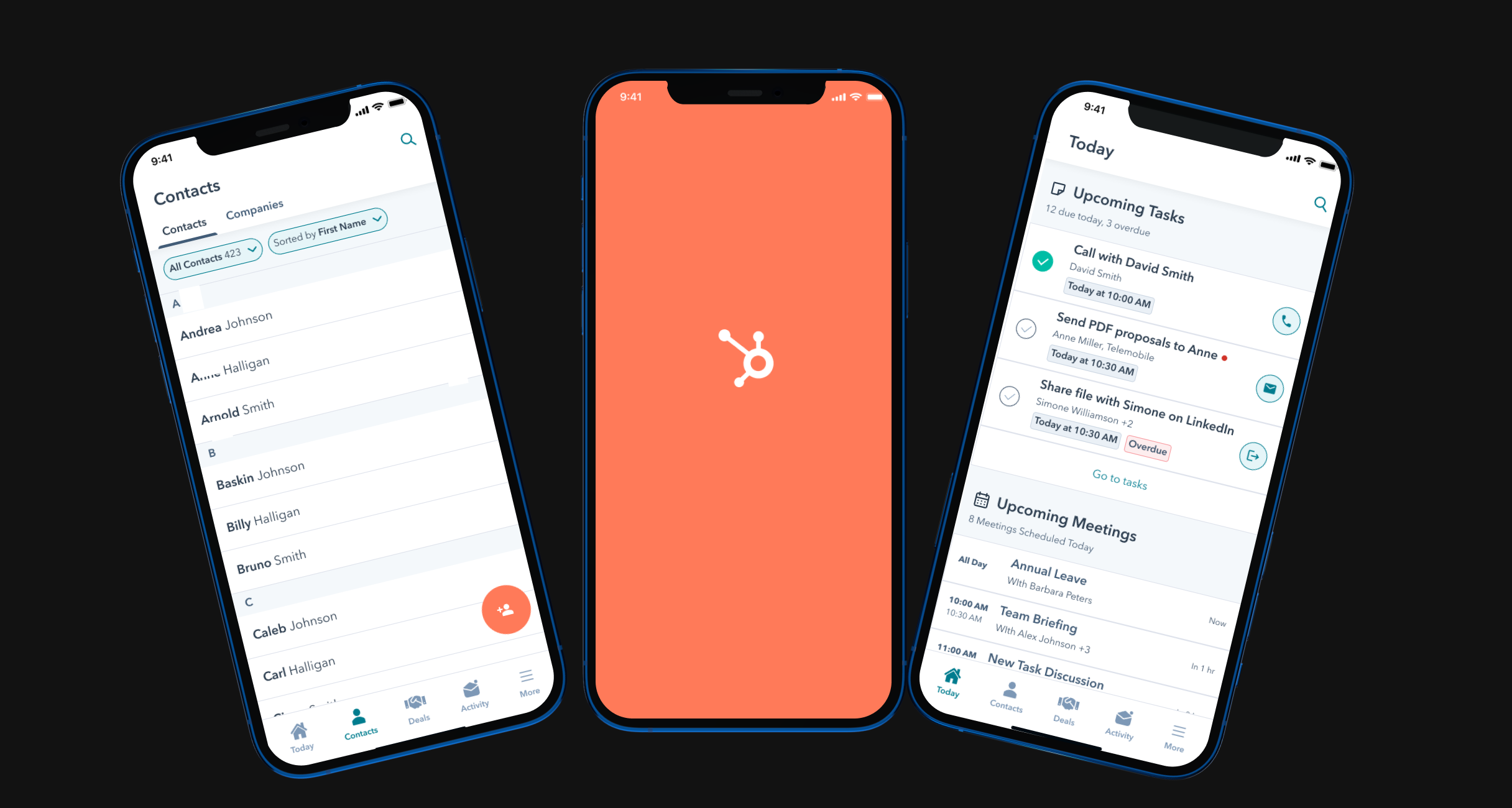
Mobile Accessibility
For field sales teams and remote workers, mobile CRM access is non-negotiable. Evaluate the mobile app quality and functionality, not just the desktop experience.
Data Migration and Contact Management
Migrating existing contact and deal data into a new CRM is one of the most time-consuming elements of implementation. Plan this carefully, clean your data before migration, and define a clear data structure - custom properties, contact ownership, deal stages - before importing.
Cloud-Based vs On-Premise
Cloud-based CRM - the model HubSpot, Salesforce, and Zoho all operate on - offers lower upfront cost, automatic updates, and easier remote access. On-premise solutions offer greater data control but require significant infrastructure investment and IT resource. For the vast majority of growth-stage businesses, cloud-based is the right choice.
Leading CRM Platforms: A Comparison
HubSpot CRM
.webp)
HubSpot CRM is the platform we consistently recommend for growth-stage businesses. Key strengths:
- Free tier with genuine capability: HubSpot's free CRM is capable enough to support growing teams without requiring immediate paid-tier investment, making it accessible without sacrificing core functionality.
- Exceptional user experience: Consistently rated among the most intuitive platforms in its category, with fast adoption and low training overhead.
- Native scalability: Designed to grow with your business - from seed-stage to enterprise - without requiring migration or significant re-configuration.
- 1,500+ integrations: Connects with the marketing automation, sales, support, and analytics tools your team already uses.
- Powerful automation: From email sequences to deal progression and lead scoring, HubSpot's workflow engine automates the tasks that slow revenue teams down.
- Commercial reporting: Pipeline dashboards, revenue attribution, and sales performance reporting give leadership the visibility they need to make confident investment decisions.
Salesforce CRM
.png)
Salesforce CRM is the market leader for enterprise-scale deployments. Key strengths:
- Deep customisation: Salesforce's configuration capabilities are unmatched - virtually any business process can be mapped within the platform, making it the strongest choice for highly complex enterprise sales environments.
- Enterprise scalability: Salesforce is built for organisations managing thousands of accounts, multiple business units, and complex approval hierarchies.
- AppExchange ecosystem: An extensive marketplace of third-party integrations covers almost any use case, from CPQ to contract management to territory planning.
Salesforce's strength comes with corresponding complexity and cost. It's typically the right choice for large enterprise organisations with dedicated Salesforce administrators or implementation partners.
Zoho CRM
.png)
Zoho CRM is a cost-effective option with strong automation capabilities and AI-driven insights via its Zia assistant. Key strengths:
- Competitive pricing: Zoho's plans are priced below HubSpot and Salesforce at equivalent feature tiers, making it a strong option for businesses where budget is the primary constraint.
- Advanced automation: Workflow automation covers lead management, email campaigns, and task assignment with considerable depth.
- AI-powered insights: Zia provides trend identification, sales forecasting, and anomaly detection - useful for teams that want predictive intelligence without the enterprise price tag.
Making the Right Decision
Choosing the right CRM software is a strategic decision with long-term commercial consequences. The platforms above represent the strongest options across different organisational profiles and budgets. Our recommendation for most growth-stage businesses is HubSpot - its combination of usability, scalability, and commercial reporting makes it the highest-returning investment for teams scaling their revenue operations.
If you'd like expert guidance on CRM selection, implementation, or HubSpot configuration, get in touch with the Clear Click team.